
Problem
After running a typical spring boot configuration, there would be an IdeaSnapshots directory in the $HOME. e.g., C:\users\IdeaSnapshots. How to disable or change the path of this folder? IDEA version 2024.3.
Cause
IDEA's JVM profiler created this folder. It's a known issue: https://youtrack.jetbrains.com/issue/IJPL-149835/IDEA-profiler-creates-IdeaSnapshots-in-the-user-home-folder
Resolution
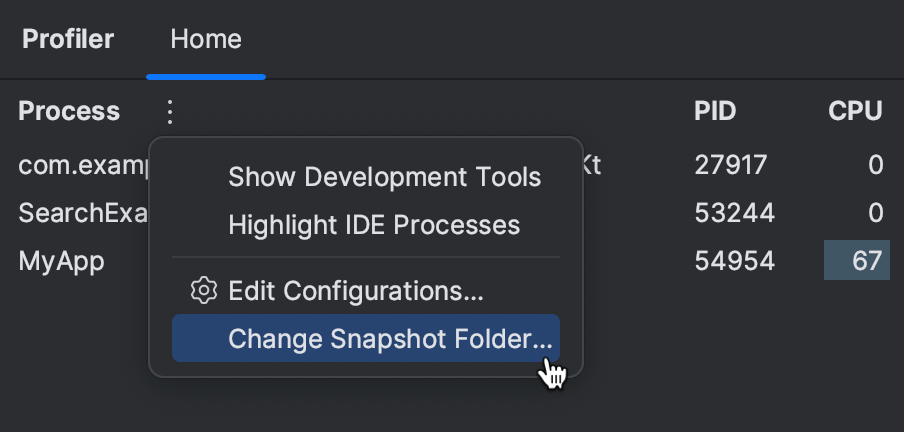
Currently, there is no way to disable it entirely, but you can override a default path via the Profiler's settings page. Please see the official documentation page https://www.jetbrains.com/help/idea/create-a-profiling-report.html#-tgxn01_146
Change the snapshots location
Open the Profiler tool window.
On the Home tab, click More, then select Change Snapshots' Folder.
Comments
0 comments
Please sign in to leave a comment.